What Makes UpWatch Different
Messaging apps are designed for conversation. UpWatch is designed for coordination.
UpWatch Team
What is UpWatch?
UpWatch is a group alarms app where people share status updates with each other through scheduled alarms.
You create an alarm, set a schedule, add people as "senders" (who share updates) or "recipients" (who receive them). When the alarm time comes, senders press a single button to share their status. Recipients get notified instantly.
No chat threads. No endless replies. Just structured status updates at the right time.
Conversation vs. Coordination
Messaging apps are designed for conversation. UpWatch is designed for coordination.
When you use a chat app to track a group, updates get mixed with regular conversation. You have to scroll to find information or ask people individually.
UpWatch separates these functions. It provides a dedicated channel where the status of your group is always visible, without the noise of conversation.
How It Works Differently
Scheduled Reminders
UpWatch sends automatic reminders at the times you set. When the alarm time comes, senders get a notification to share their status.
This simple feature changes everything. When people know others are expecting their update at a specific time, they follow through.
Two Types of Updates
Every status update in UpWatch falls into one of two categories:
- Green (Normal): Everything is fine, routine continues
- Red (Alert): Something needs attention
You can check multiple routines in seconds without reading any messages. Just look at the colors.
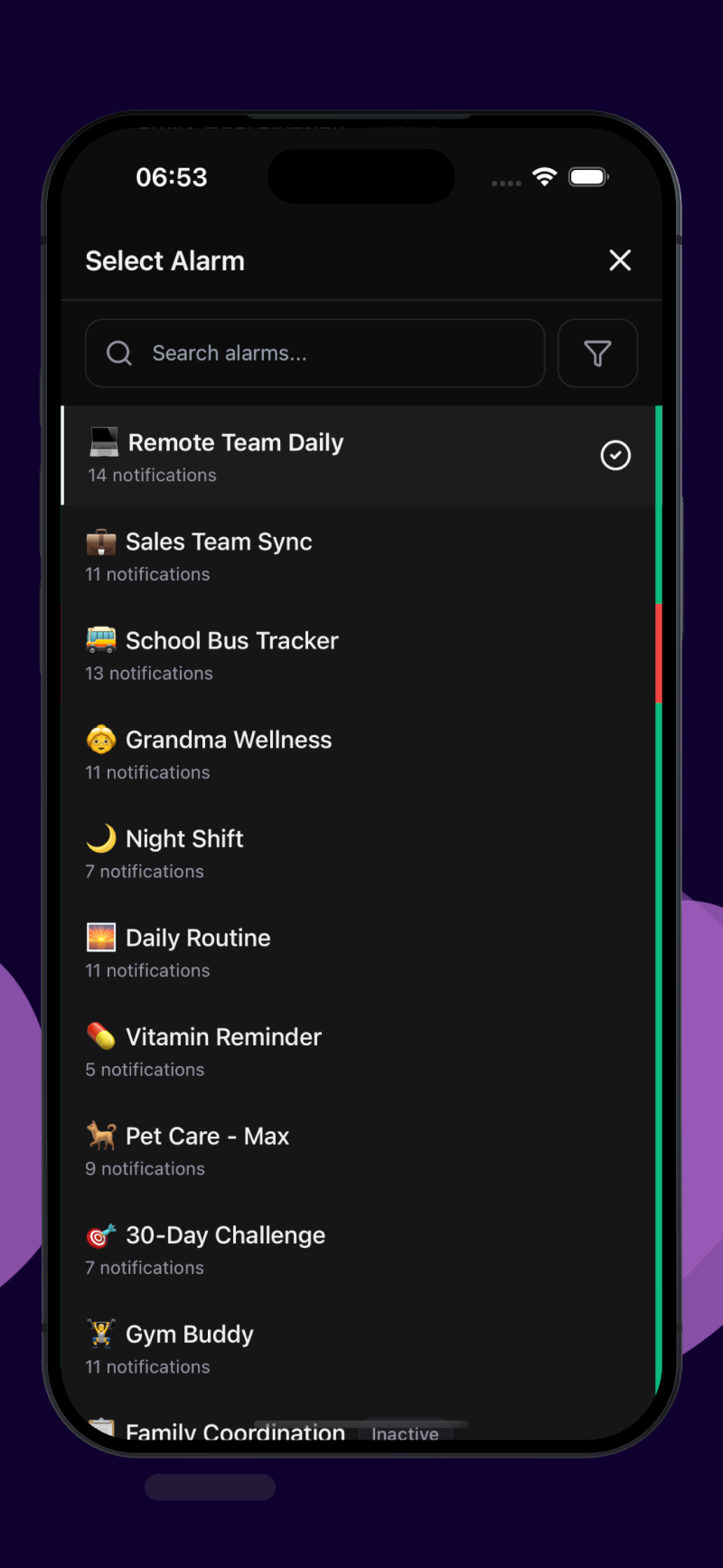
Alarm List
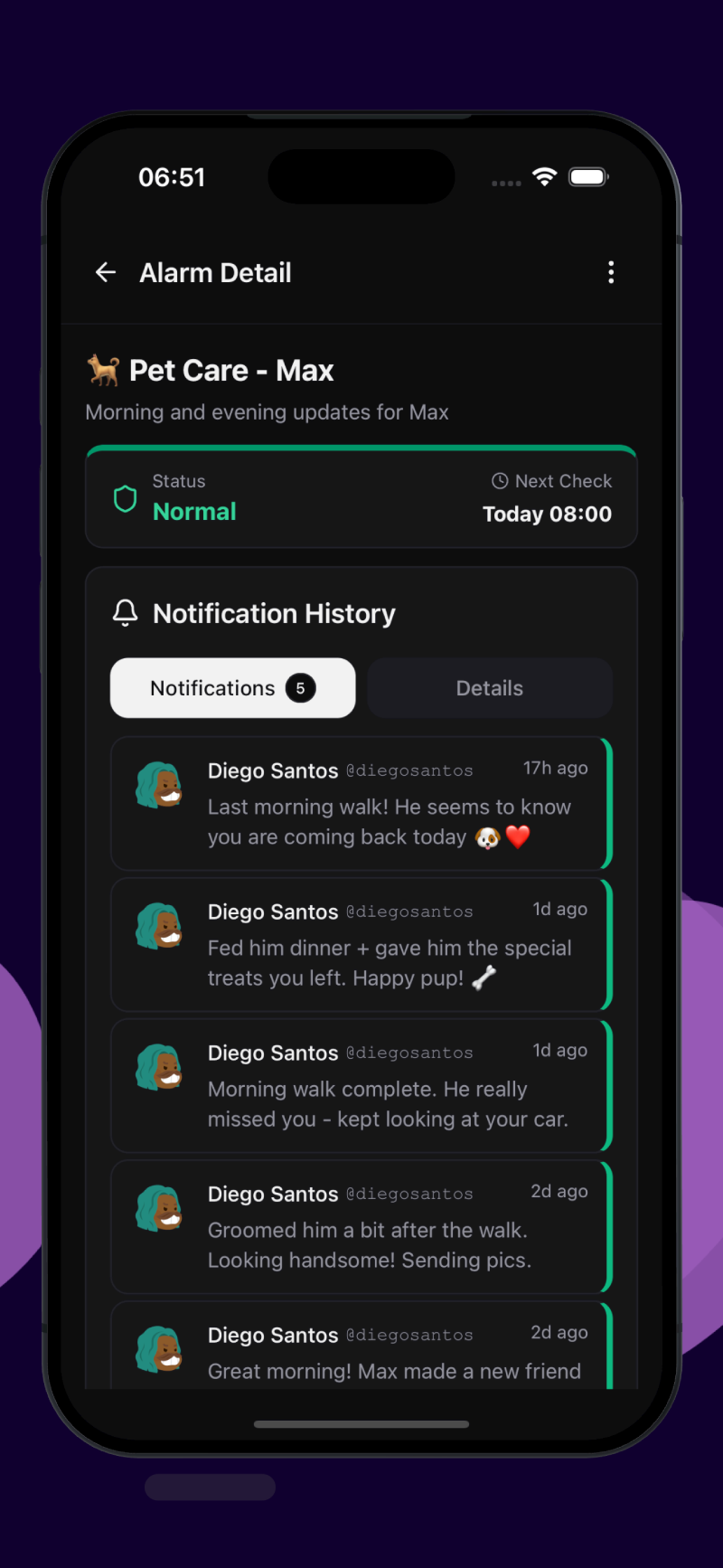
Green = All Good
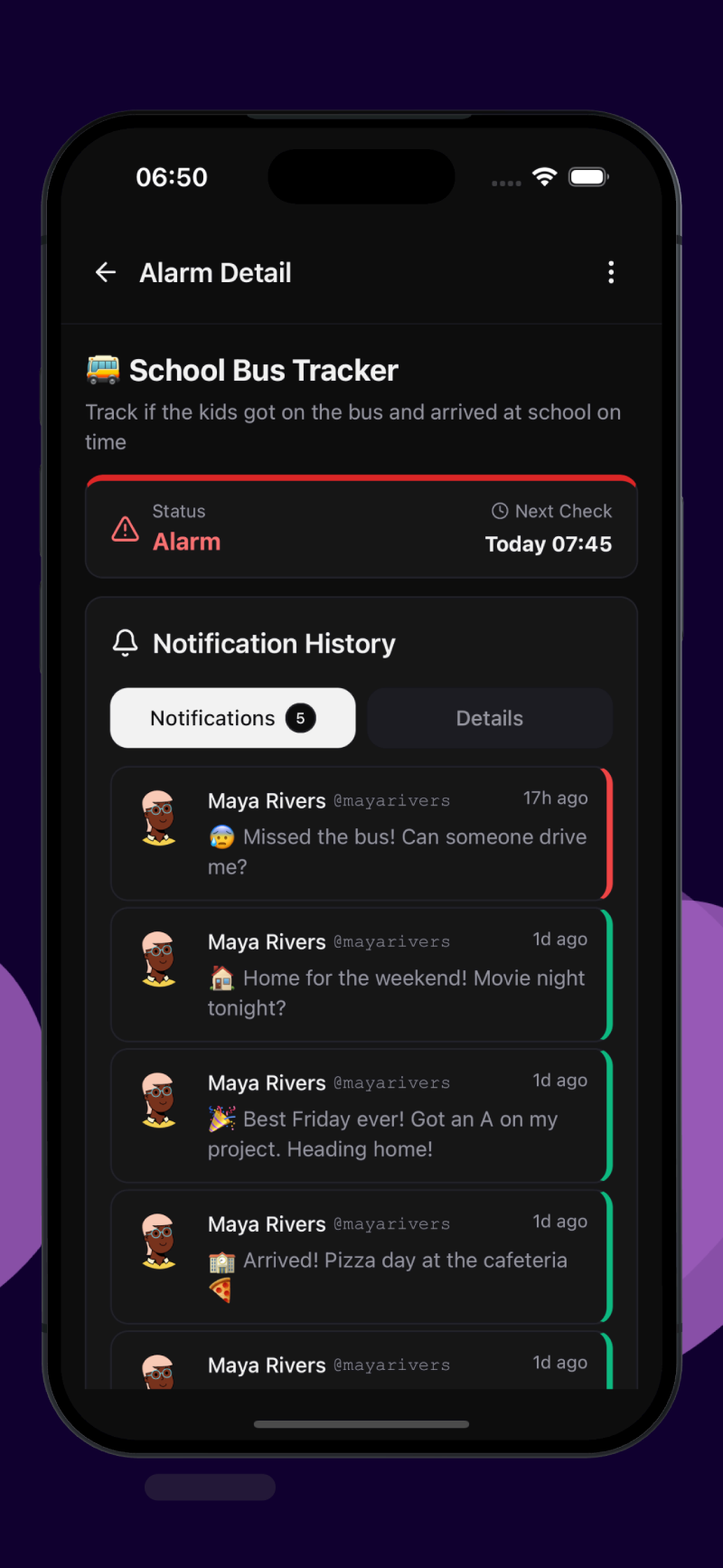
Red = Needs Attention
One-Way Communication
UpWatch uses one-way updates. Someone sends a status, others receive it, done.
No replies needed. No "seen" pressure. No threads to manage.
A green notification means "everything is fine." No one needs to respond "Got it."
Privacy by Design
In UpWatch, alarm participants don't see each other's contact information. They can't message each other directly. Communication stays within the alarm's defined scope.
This feature is especially useful in groups with different people. For example, in a workplace, employees can share status updates without seeing each other's personal contact information.
Organized History
Every notification is tied to a specific scheduled time. When you look back at history, you see:
- Updates grouped by alarm
- Clear timestamps
- Color-coded status
- Patterns over days and weeks
You can review a week's worth of status in seconds.
The Accountability Effect
Knowing that specific people expect your update at a specific time creates motivation. You don't feel like someone is watching over you, but you know you're part of a system. It's the same thing that happens in workout groups or team meetings: regular structure brings regular results.
Real Examples
Remote Team Updates
A team spread across different locations uses UpWatch for daily updates. Every day at 5pm, each team member shares what they worked on. "Finished the report, sent for review!" or "Client presentation ready!" The team lead sees all updates in one place without scheduling another meeting.
School Routine
Kids report when they get on the bus and arrive at school. "On the bus!" then "At school!" and later "Home!" Parents get notified at each step. If someone misses the bus, parents know right away.
Family Check-ins
Grandma lives alone and shares morning and evening updates with the family. "Good morning! Making oatmeal." and "Evening! Watched my show, heading to bed." Family stays connected without constant calls.
Night Shift
Someone working nights lets their family know how things are going. A quick update at the start of the shift, one in the middle, and one when heading home. "Starting my shift!" then "Break time, all good here." and "Done for the night, on my way." Simple and clear.
30-Day Challenge
A group doing a no-sugar challenge for 30 days. Every evening, everyone shares their progress. "Day 14 complete! Resisted the office donuts." Friends cheer each other on and keep the momentum going.
Workout Partners
Two friends motivating each other to work out. Both are senders and recipients. Every morning at 7am, they share if they hit the gym. "Leg day done! New PR on squats!" or "Rest day, stretching instead." When one misses, the other knows.
Pet Care
You're traveling and a friend is watching your dog Max. They send morning and evening updates. "Morning walk done! Max made a friend at the dog park." You get updates without asking.
Who Is UpWatch For?
UpWatch works well for anyone who needs:
- Scheduled check-ins with a group
- Status reporting routines
- A way to keep multiple people synced
- Structured updates without the noise of conversation
Families, teams, friends, anyone who needs to stay in the loop with a group can use UpWatch to make it happen without the hassle.
At a Glance
| What You Need | Group Chats | UpWatch |
|---|---|---|
| Scheduled reminders | ❌ Manual only | ✅ Built-in |
| Status at a glance | ❌ Read all messages | ✅ Just look at the color |
| Privacy between participants | ❌ Contact info visible | ✅ Hidden by default |
| Noise-free updates | ❌ Mixed with chat | ✅ Only status updates |
| Organized history | ❌ Scroll through threads | ✅ Grouped by alarm |
The Bottom Line
UpWatch turns coordination into a simple, automatic process. No more chasing people for updates. Automatic reminders ensure updates arrive on time. Just clear status, right when you need it.
That's group alarms. That's UpWatch.